

AT Cash Drawer Trigger – Frequently Asked Questions
Get clear guidance on using cash drawer triggers with your POS system, including setup tips and compatibility notes.
How to open cash drawer without POS printer ?
How Can I Open a Cash Drawer If My Printer Doesn’t Have a Cash Drawer Port ?
Some stores, such as furniture stores, use Line Printer, Laser Printer or Inkjet printer to place orders and collect payments. However, these printers do not have the open cash drawer function, is there a way to open the cash drawer ?
What choice you have ?
1). AT10-Push button series Manual push button (no development need)
2). AT10U3 USB Hot Key Model (no development , bundle with windows utility)
3). AT10U3 USB series USB Model (need program/system development)
3). AT09AW Browser-Based model , open drawer by web page (no development , bundle with windows utility)
Some businesses—like furniture stores—use Line Printers, Laser Printers, or Inkjet Printers for order processing and payments. These printers typically do not support cash drawer opening, but there are alternative solutions available.
✅ Available Options
- Push Button Series
- Manual trigger
- No software development required
- Simple and reliable
- USB Hot Key Model
- Opens drawer via keyboard hotkey
- Bundled with Windows utility
- No development needed
- USB Series
- Requires system or software integration
- Suitable for custom POS applications
- Browser-Based Model
- Opens drawer via web page interface
- Bundled with Windows utility
- No development required
How can I open cash drawer when a receipt is printed during a sale and when no receipt is printed such as during a cash refund, in conjunction ?
If your cash drawer system, powered by the AT10ME series, offers flexible access methods to meet both transactional and non-transactional needs. It supports automatic opening via POS printer, manual access through push button, and wireless control via Bluetooth.
System Connection Overview :
- POS Printer connects via DK port to the AT10ME RPT input
- Cash Drawer connects via RJ port to the AT10ME
- AT10ME supports:
- Push Button (manual trigger)
- Bluetooth Device (wireless trigger)
- Type-C USB Power – Connects to adapter or POS printer USB power for streamlined setup
Three Ways to Open the Cash Drawer
- Automatic Mode Triggered by the POS printer—drawer opens when a receipt is printed.
- Manual Mode Triggered via push button using the AT10ME-PB Buddy Series—ideal for “No Sale” operations such as refunds or drawer access without a transaction.
- Bluetooth Mode Triggered wirelessly using the AT10ME-BT Bluetooth Series—allows remote drawer access without a direct POS connection.
Model-Specific Functions
Each AT10ME model offers distinct features:
- AT10ME-PB includes a built-in push button.
AT10ME-BT supports Bluetooth wireless triggering.
We’re here to help—contact our team anytime with your questions.
AT cash drawer triggers Pinout
🔌 Connector Standards
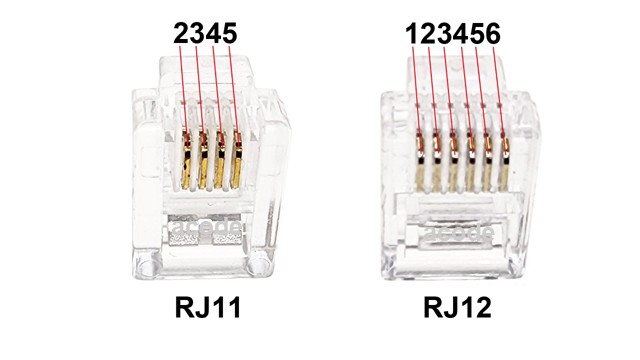
Acode cash drawer triggers and related POS accessories typically use standard 4‑pin RJ11 or 6‑pin RJ12 connectors. The solenoid (which physically opens the drawer) is activated across Pins 2 or 5 and common Pins 4.
🖨️ Hardware Compatibility
Acode triggers are designed to work with all standard printer‑driven cash drawers. Please see the pinout table below for reference
⚠️ Pinout Compatibility Notice
Most cash drawers follow the same standard pinout as Acode. However, some models use different pinouts. Incorrect pinout connections can damage the device.
👉 Always verify that the cash drawer pinout matches before connecting.
📐 RJ11 / RJ12 Pinout Configuration
A standard Acode‑compatible cash drawer pinout operates on 12V–24V DC and follows this layout:
-
- The open/close detection function on Models Plus is supported via pins 3 and 6.
| Pin | Function | Description |
| Pin 1 | Frame Ground | Chassis ground |
| Pin 2 | Solenoid 1 | Activation pin |
| Pin 3 | Drawer Status | Sensor ground |
| Pin 4 | Solenoid Common | Return / common pin |
| Pin 5 | Solenoid 2 | Secondary activation pin |
| Pin 6 | Drawer Status | Sensor signal (Normally Open / Closed) |
AT Cash Drawer Trigger Sensor Supporting Cash Drawer Status Detection
What is a Cash Drawer Detect Open Sensor-CR❓
The Cash Drawer Detect Open Sensor‑CR is a precision electronic sensor built to monitor the physical status of a cash drawer. Sensor‑CR is engineered to operate in a normal open (NO) or normal close (NC) configuration.
The trigger uses a cash drawer physical sensor configured as normal open (NO) or normal close (NC)
Hardware Connection
- The cash drawer connects via RJ12 cable plug to a USB trigger device RJ12 Socket.
- Pin 3 and Pin 6 are typically used for the sensor signal lines (Open or Close).
CTS (Clear To Send)
- A standard serial control line.
- In cash drawer setups, CTS changes state depending on whether the drawer is open or closed.
- The POS software continuously reads CTS to determine the drawer’s status.
RTS (Request To Send)
- Another serial control line, often paired with CTS for reliability.
- Used in some cash drawer triggers to confirm drawer state.
- Provides an additional layer of monitoring for accurate detection.
What is a Cash Drawer Detect Open Smart‑Sensor‑2❓
The Cash Drawer Detect Open Smart‑Sensor‑2 is a precision electronic sensor built to monitor the physical status of a cash drawer. Smart‑Sensor‑2 is engineered to operate in a normal open (NO) configuration.
The trigger uses a cash drawer physical sensor configured as normal open (NO)
Hardware Connection
- The cash drawer connects via RJ12 cable Plug to a USB trigger device RJ12 socket.
- Pin 3 and Pin 6 are typically used for the sensor signal lines (Normal Open).
Open and Closed State
- Open Detection with Return Code: When the drawer is open, the sensor outputs a specific return code (e.g., 00) that the POS system can read.
- Closed Detection: Once the drawer is shut, the return code stop, confirming the drawer is secure.
- POS Integration: Applications use these return codes to verify drawer state in real time.
POS Integration
- The POS system can read the sensor signal at any time.
- This enables real‑time verification of drawer status, ensuring transaction accuracy and security.
Smart Advantages
- Provides instant detection of drawer status.
- Enhances security by preventing unnoticed open drawers.
- Ensures transaction accuracy by aligning drawer state with POS activity.
- Simple, reliable, and easy to integrate into standard POS setups.
What is a Cash Drawer Detect Open Smart‑Sensor‑3❓
The Cash Drawer Detect Open Smart‑Sensor‑3 is a precision electronic sensor built to monitor the physical status of a cash drawer. Smart‑Sensor‑3 is engineered to operate in a normal close (NC) configuration.
The trigger uses a cash drawer physical sensor configured as normal close (NC)
Hardware Connection
- The cash drawer connects via RJ12 cable Plug to a USB trigger device RJ12 socket.
- Pin 3 and Pin 6 are typically used for the sensor signal lines (Normal Close).
Open and Closed State
- Open State: When the drawer is open, the sensor outputs a continuous signal (e.g.,
00). - Closed State: Once the drawer is closed, the
00signal stops. - POS Integration: The POS system reads this signal in real time to verify drawer status.
POS Integration
- The POS system can read the sensor signal at any time.
- This enables real‑time verification of drawer status, ensuring transaction accuracy and security.
Smart Advantages
- Provides instant detection of drawer status.
- Enhances security by preventing unnoticed open drawers.
- Ensures transaction accuracy by aligning drawer state with POS activity.
- Simple, reliable, and easy to integrate into standard POS setups.
Real-Time Detection of Cash Drawer Activity
Web-Based Control of USB Cash Drawers Using HTML and JavaScript
With the AT09W or AT10U3 USB browser-based cash drawer trigger, you can seamlessly control and monitor a cash drawer directly from a web page. Utilizing HTML5 and JavaScript, this solution enables drawer operations without the need for traditional POS systems or external software.
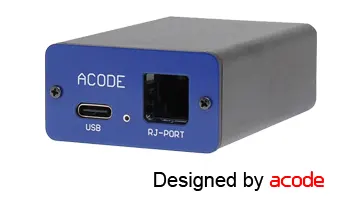
Setup Instructions
- Use a device running Windows 10 or 11.
- Plug in the USB browser-based trigger — Windows will automatically install the necessary driver.
- Install and launch the browser-based trigger utility.
- Add simple HTML or JavaScript code to your web page to:
- Send commands to open the drawer.
- Detect and display the drawer’s status.
🌐 Benefits
This setup allows seamless integration with web-based POS systems, enabling drawer control without the need for a full EPOS platform.
We’re here to help—contact our team anytime with your questions.
How to Use ACODE USB Cash Drawer Trigger to Detect Open/Closed Status ?
The ACODE 10U3 Series USB Cash Drawer Trigger Plus supports real-time detection of the drawer’s open or closed state.
About Trigger Plus Models:
- Model Type 00102-00001
- Requires programming to check hardware control signals
- Detects drawer status through manual polling
- Model Type 00102-0300x (where
xindicates sensor type: normally open or normally closed)- Automatically returns drawer status codes
- Simplifies programming and enables continuous status monitoring
⚠️ Important:
- Your cash drawer must be equipped with a compatible sensor that matches the open/close specifications of the trigger module.
If you have questions or need help selecting the right model, feel free to contact us — we’re happy to assist.
Video Demo: 00102-0300x for open cash drawer return code
How to use ACODE Bluetooth cash drawer trigger to detect cash drawer open/close status ?
The ACODE 10B3 Series Bluetooth Cash Drawer Trigger Plus is designed to monitor the open and close status of your cash drawer in real time.
About the Trigger Plus Module –
- Model: 10B3 ‘00201-0300x’ (Note: ‘x’ indicates whether the cash drawer sensor is configured as normally open or normally closed.)
- The module automatically returns an opening code, simplifying the process for developers to detect and manage drawer status.
- You can check the drawer status at any time, ensuring accurate monitoring and control.
Important Notes –
- Ensure your cash drawer matches the required open/close specifications for proper functionality.
- If you have any questions or need assistance, please contact us for support.
Demo Video:
Supported Cash Drawer Types for ACODE Trigger Mechanism
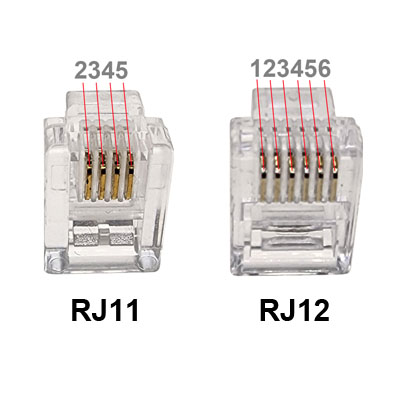
The ACODE USB and Bluetooth Trigger is compatible with most standard POS cash drawers that operate on 12–24V and use RJ11 or RJ12 connectors. The key difference is that RJ11 has 4 pins (limited sensing) while RJ12 has 6 pins (supports both kick pulse and open/close status sensing)
Cash Drawer Compatibility with ACODE USB Trigger
Supported Drawers:
- Works with printer‑driven cash drawers using RJ11/RJ12 connectors.
- Compatible with 12–24V solenoid drawers (most Epson, Star, Citizen, and Acode models).
- Designed for setups without a receipt printer — connects directly via USB to a PC, POS terminal, or Android device.
Trigger Operation:
- Appears as a virtual COM port.
- POS software sends a preset open code → trigger energizes the solenoid → drawer opens.
- Return codes can confirm open/close status when paired with RJ12 sensing pins.
Connector Comparison: RJ11 vs RJ12
| Pin | RJ11 | RJ12 | Function | Description |
| Pin 1 | ✘ | ✔ | Frame Ground | Chassis ground |
| Pin 2 | ✔ | ✔ | Solenoid 1 | Activation pin |
| Pin 3 | ✔ | ✔ | Drawer Status | Sensor ground |
| Pin 4 | ✔ | ✔ | Solenoid Common | Return / common pin |
| Pin 5 | ✔ | ✔ | Solenoid 2 | Secondary activation pin |
| Pin 6 | ✘ | ✔ | Drawer Status | Sensor signal (Normally Open / Closed) |
- Most POS systems and receipt printers require at least 5 pins, making RJ12 the more reliable choice.
- RJ12 connectors are compatible with RJ11 plugs, but RJ11 plugs sensor functionality will be limited.
.
What types of cash drawers specification can detect open/closed status ?
Cash drawer Specifications :
- Cash drawer RJ12 6 Pin Plug.
- Electrical 12~24 Volts DC, < 100 Msec, 1A.
- Solenoid Pin 2 or 5 with Common Pin 4
- Pin 3 & 6 for cash drawer sensor.
AT10 USB & Bluetooth Cash Drawer Trigger – Sensor Requirements
Plus Series Sensor Options:
- Sensor‑CR: Normal Open & Close (AT10U3 only)
- Smart‑Sensor‑2: Normal Open
- Smart‑Sensor‑3: Normal Close
* Please review product details for compatibility.
If you have any questions, please contact us.
AT10PB Push Button Cash Drawer Trigger
What is a Push Button Cash Drawer Trigger ?
A Push Button Cash Drawer Trigger is a device used to manually open a cash drawer without relying on a point-of-sale (POS) system or software command. It’s often used in retail or hospitality environments where quick access to the cash drawer is needed.
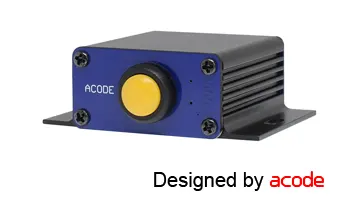
Features:
- Manual Activation Open the cash drawer with a simple press—no software or system required.
- Compact Design Small footprint and easy installation near your register or workstation.
Why Choose a Push Button Cash Drawer Trigger?
- Simple & Reliable: A no-fuss, low-tech solution that works independently of any POS system.
- Fast & Efficient: Ideal for high-speed environments like food trucks, pop-up shops, or busy retail counters.
- Perfect for Temporary Setups: Great for market stalls, event booths, or mobile kiosks where a full POS system isn’t practical.
🔋 No Power Outlet ? No Problem
Choose the AT10M3 Battery Mobile series for cordless, flexible operation – anytime, anywhere.
How to open cash drawer without printer or receipt printing ?
Yes, you can use AT10PB Push Button Cash Drawer Trigger, it opens cash drawer without printer. It can operate independently. Simply press the push button to trigger open the cash drawer. This manual control cash drawer trigger is USB port powered, convenient and efficient solution.
AT10PB Push Button Cash Drawer Trigger
The AT10PB is a standalone push-button trigger that opens your cash drawer without requiring a printer. Designed for independent operation, it offers:
- Manual control — simply press the button to open the drawer.
- USB-powered convenience — external power supply needed.
- A compact and efficient solution for “No Sale” scenarios or non-POS environments.
We’re here to help contact our team anytime with your questions.
Powering Your AT10PB: How to Select the Right Adapter
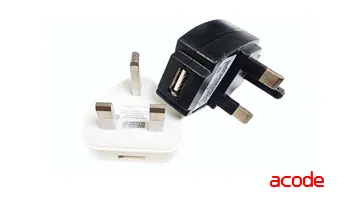
If your AT10PB device requires an external power adapter, use the following specifications to ensure reliable and safe operation:
- Voltage: DC 5V (standard)
- Current: At least 500mA
- Connector Type: USB Type-C or USB-A
This setup provides a simple, secure, and efficient power solution—perfect for maintaining consistent performance in any environment.
Can I Use a Power Bank to Power the AT10PB Cash Drawer Trigger?
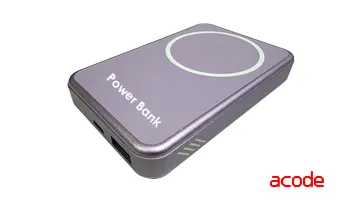
Use of power banks with the AT10PB is not recommended. The AT10PB is a low-power device and draws very little current, which may cause some power banks to misinterpret it as inactivity and shut off their output automatically. If a power bank is required, please consider switching to the AT10M3PB Series instead.
Which types of cash drawers are compatible with AT10PB ?
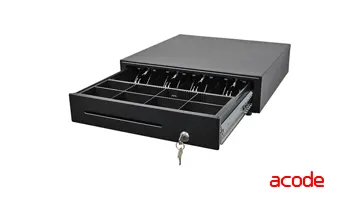
AT10PB Supports POS Receipt Printers through Cash Drawer Interface
- Interface: Supports RJ11 (4-pin) or RJ12 (6-pin) connectors
- Electrical Specs: Operates on 12–24V DC, 1A
- Solenoid Activation: Triggered via Pin 2 or Pin 5 or Common Pin 4
This configuration ensures reliable compatibility with most POS receipt printers equipped with a cash drawer port.
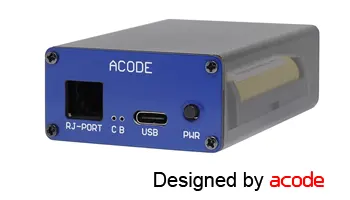
AT10B3 Bluetooth Cash Drawer Trigger
What is Bluetooth cash drawer trigger?
A Bluetooth cash drawer trigger is a device that allows a cash drawer to be opened wirelessly via a Bluetooth connection, without needing a traditional POS receipt printer.
What It Does
- It connects to a cash drawer (usually via RJ11/RJ12 interface).It pairs with a computer, tablet, or mobile device using Bluetooth.
- When the POS system sends a trigger command, the drawer automatically opens.
- Some models, like the AT10B3 , also support status monitoring, meaning they can detect whether the drawer is open or closed and send that information back to the POS app.
Compatible Platforms
- Works with Android, Windows, and macOS.
- Ideal for mobile POS setups or environments where a receipt printer is not used.
⚠️ Requirements
- Your POS software must support Bluetooth communication.
- Some technical setup or IT knowledge may be needed for integration.
AT10 Series Bluetooth Cash Drawer Trigger
Video Demo:
How to use ACODE Bluetooth cash drawer trigger to detect cash drawer open/close status ?
The ACODE 10B3 Series Bluetooth Cash Drawer Trigger Plus is designed to monitor the open and close status of your cash drawer in real time.
About the Trigger Plus Module –
- Model: 10B3 ‘00201-0300x’ (Note: ‘x’ indicates whether the cash drawer sensor is configured as normally open or normally closed.)
- The module automatically returns an opening code, simplifying the process for developers to detect and manage drawer status.
- You can check the drawer status at any time, ensuring accurate monitoring and control.
Important Notes –
- Ensure your cash drawer matches the required open/close specifications for proper functionality.
- If you have any questions or need assistance, please contact us for support.
Demo Video:
Compatible Cash Drawers for ACODE Bluetooth Trigger Series
To detect open/close status and comply with ACODE Bluetooth Cash Drawer Trigger specifications, the cash drawer must meet the following requirements:
Hardware Specifications –
- Connector: RJ12 6-pin plug
- Electrical: 12–24V DC, <100 ms pulse, 1A
- Solenoid Activation: Pin 2 & 4 or Pin 4 & 5
- Sensor Detection: Pin 3 & 6 used for open/close status
Sensor Type –
- Must support either Normal Open or Normal Close sensor configuration
- Sensor type varies by model—please specify your cash drawer model when confirming compatibility
If you have any questions, please contact us.
Can a cash drawer be opened wirelessly without triggering a sale or printing a receipt?
Yes , the AT10B3 Bluetooth Cash Drawer Trigger offers a wireless solution compatible with tablets, desktops, and Android POS systems. It uses USB Type-C for reliable power without an external adapter, making it portable, flexible, and user-friendly.
Note: Setup requires IT expertise or system development skills.
Does the ACODE Bluetooth Cash Drawer Trigger include open/close detection for the drawer ?
Yes, it’s possible to detect the open/close status of your cash drawer using Android’s Bluetooth functionality—provided you’re using the AT10B3-10B3121B Bluetooth Cash Drawer Trigger.
Here’s how status detection works with your Android POS system:
- Drawer Activation: Your POS app sends a command to open the drawer via Bluetooth.
- Status Feedback: The drawer trigger responds with a status code, confirming it’s open and prompting the user to close it.
- Transaction Continuation: Once the drawer is closed, the status code stops, allowing the POS system to proceed with the transaction.
Requirements for This Feature:
- A cash drawer equipped with an RJ12 connector
- A POS application that supports drawer status monitoring
Video Demo:
Have questions? We’re here to help
Do I need additional software to use the AT10 Bluetooth Trigger for cash drawer status detection ?
No installation required. The ACODE USB and Bluetooth Cash Drawer Trigger Plus Series supports open/close status detection without the need for external utilities or SDKs.
⚠️ Note: Basic IT knowledge and system development skills are recommended to ensure proper setup and integration.
Does the ACODE Bluetooth Cash Drawer Trigger include open/close detection for the drawer ?
Yes, the ACODE 10B3 Plus Series (Model 10B3121B) Bluetooth Cash Drawer Trigger supports open/close status detection. The trigger module automatically returns an opening code, simplifying integration for system developers and programmers.
Important: Both your cash drawer and POS application must support open/close status sensing for this feature to function properly.
If you need further assistance, feel free to contact us.
Which cash drawers support open/close detection and work with the ACODE Bluetooth Trigger?
To support open/close status detection and work seamlessly with the ACODE Bluetooth Cash Drawer Trigger, your cash drawer should meet the following specifications:
- RJ12 connector with 6-pin plug
- Electrical rating: 12–24V DC, <100 milliseconds, 1A
- Solenoid wiring: PIN 2 or Pin 5 & Common PIN 4
- Sensor wiring: PIN 3 & 6
- Sensor type: Normally Open (NO) or Normally Closed (NC)
If you’re unsure about compatibility or need assistance, please contact us.
AT10U3 USB Cash Drawer Trigger
What is the AT10U3 USB cash drawer trigger ?
A USB cash drawer trigger is a device that allows a cash drawer to be opened directly via a USB connection to a computer or POS system—without needing a receipt printer.
What It Is and How It Works –
- The trigger connects to a printer-driven cash drawer using an RJ11 or RJ12 cable.
- It plugs into a USB port on a Windows PC, Android tablet, or macOS device.
- When the POS software sends a command (usually via a virtual COM port), the trigger activates and opens the drawer.
- Some advanced models, like the AT10U3 PLUS, also support open/close status detection, sending signals back to the POS app when the drawer is opened or closed.
Benefits –
- Printer-free operation: Ideal for modern POS setups that don’t use receipt printers.
- Plug-and-play: Many models auto-install drivers and work with existing POS software.
- Cross-platform: Compatible with Windows, Android (via OTG), and macOS.
- Compact and efficient: No external power supply needed in most cases.
AT10U3 USB Cash Drawer Trigger
Video Demo:
How to Use ACODE USB Cash Drawer Trigger to Detect Open/Closed Status ?
The ACODE 10U3 Series USB Cash Drawer Trigger Plus supports real-time detection of the drawer’s open or closed state.
About Trigger Plus Models:
- Model Type 00102-00001
- Requires programming to check hardware control signals
- Detects drawer status through manual polling
- Model Type 00102-0300x (where
xindicates sensor type: normally open or normally closed)- Automatically returns drawer status codes
- Simplifies programming and enables continuous status monitoring
⚠️ Important:
- Your cash drawer must be equipped with a compatible sensor that matches the open/close specifications of the trigger module.
If you have questions or need help selecting the right model, feel free to contact us — we’re happy to assist.
Video Demo: 00102-0300x for open cash drawer return code
Automatically Trigger a Cash Drawer from Your Android POS App
You can use AT10U3 USB OTG Cash Drawer Trigger. The Trigger opens cash drawer via USB port and supports OTG. NO external power supply and external OTG adapter needed. The USB Type C cable allows direct connection to your android tablet or other mobile device.
Automatically Trigger a Cash Drawer from Your Android POS App
To integrate automatic cash drawer opening with your Android POS system, use the AT10U3 USB OTG Cash Drawer Trigger. Here’s how it works:
- Connect the AT10U3 directly to your Android tablet or mobile device via USB Type-C
- No need for an external power supply or OTG adapter — it’s fully self-contained
- The trigger communicates through the USB port and supports OTG, enabling your app to send a command that opens the drawer
💡 Integration Tip: Your POS app must send a specific USB command or signal to the AT10U3 device. This typically involves using Android’s USB Host API to detect and communicate with the trigger.
We’re here to help—contact our team anytime with your questions.
Video Demo:
Do I Need to Install a Utility or SDK to Detect Cash Drawer Open/Close Status?
ACODE 10U3 Series – SDK Required
Standard Model (00102-00001) requires an SDK to:
- Communicate with hardware controls
- Monitor open/close drawer status
- Interpret sensor signals
Why an SDK Is Necessary:
- Status codes aren’t returned automatically
- Manual polling by the developer is needed
- SDK provides essential libraries and documentation for POS integration
ACODE 10U3 Plus Series – No SDK Needed
Trigger PLUS Models (e.g., 00102-0300x) offer:
- Automatic status code return
- No SDK installation required
- Perfect for plug-and-play setups and streamlined development
How to Automatically Open a Cash Drawer in Loyverse POS (Android) ?
To open cash drawer automatically in Loyverse POS (Android) without POS receipt printer, you can use AT10U3 USB OTG Cash Drawer Trigger. This Trigger opens cash drawer via USB port of your Android tablet or mobile phone. The USB Type C cable comes with the Trigger allows direct connection to your mobile device. NO external power supply and external OTG adapter needed.
If you’re using Loyverse POS on an Android device and want to open the cash drawer without a receipt printer, the AT10U3 USB Cash Drawer Trigger is a reliable solution.
Key Features:
- Connects directly to your Android tablet or phone via USB Type-C use AT10U3 or AT10U3 Plug USB Cash Drawer Trigger
- No external power supply or OTG adapter required
- Opens the cash drawer through the USB port — fast and efficient
AT10U3 Setup Instructions:
- Plug in the AT10U3 USB Trigger to your Android device
- In Loyverse POS, go to Settings > Printer
- Select Printer Model: Other Model
- Set Interface: USB:XXXX (where
XXXXis the detected USB device name)
🔧 This configuration allows Loyverse to send the drawer-open command through the USB trigger, even without a traditional receipt printer.
AT10U3 Plus Setup Instructions:
- Plug in the AT10U3 USB Trigger to your Android device
- In Loyverse POS, go to Settings > Printer
- Select Printer Model: Other Model
- Set Interface: USB:XXXX (where
XXXXis the detected USB device name)
🔧 This configuration allows Loyverse to send the drawer-open command through the USB trigger, even without a traditional receipt printer.
Setup Instructions for AT10U3 Plus USB Trigger with Loyverse POS (Android)
To enable automatic cash drawer opening in Loyverse POS using the AT10U3 Plus USB Trigger, follow these steps:
- Connect the AT10U3 Plus USB Trigger to your Android device
- Open Loyverse POS, then navigate to:
- Settings > Printer
- Select Printer Model: Other Model
- Interface: USB:XXXX (replace
XXXXwith the detected USB device name)
- Tap Advanced Settings and configure:
- Print Mode: Text
- Drawer ESC/POS Command Eg:
(12,34,56,78)
🔧 This command sequence sends the signal to open the cash drawer. Ensure your ESC/POS commands is right.
Cash Drawer via USB in Android example code is intended for reference purposes only.
1. Ensure USB Host Support
Your Android device must support USB Host mode. Most modern tablets and phones do, especially those with USB Type-C.
2. Connect the AT10U3 Trigger
Plug the AT10U3 into your device using the USB Type-C cable. No external power or OTG adapter is needed.
3. Use Android’s USB Host API
Your app will need to detect and communicate with the USB device. Here’s a simplified code snippet to illustrate:
* This example code is intended for reference purposes only.
| UsbManager usbManager = (UsbManager) getSystemService(Context.USB_SERVICE); HashMap<String, UsbDevice> deviceList = usbManager.getDeviceList();for (UsbDevice device : deviceList.values()) { if (device.getVendorId() == YOUR_TRIGGER_VENDOR_ID && device.getProductId() == YOUR_TRIGGER_PRODUCT_ID) { // Request permission and open connection PendingIntent permissionIntent = PendingIntent.getBroadcast(this, 0, new Intent(“USB_PERMISSION”), 0); usbManager.requestPermission(device, permissionIntent);UsbDeviceConnection connection = usbManager.openDevice(device); if (connection != null) { // Send command to open drawer byte[] openCommand = new byte[]{/* your trigger command */}; connection.bulkTransfer(endpoint, openCommand, openCommand.length, 1000); } } } |
Replace YOUR_TRIGGER_VENDOR_ID, YOUR_TRIGGER_PRODUCT_ID, and openCommand
4. Handle Permissions
Make sure your app requests android.hardware.usb.host in the manifest and handles runtime permissions properly.
AT10M3 / AT10M3S Mobile Cash Drawer Trigger
What is AT10M3 mobile cash drawer trigger ?
The AT10M3-PB mobile Push button cash drawer trigger is a battery-operated device designed to open a cash drawer wirelessly—without needing a receipt printer or constant power supply. It’s ideal for mobile and outdoor POS setups like food trucks, kiosks, and pop-up shops.
🔋 Features of AT10M3 Series
- Wireless Operation: Opens the cash drawer via manual push button.
- Battery Powered: Each full charge 14500 new battery, supporting sustains at least 2,000 activations.
- Dual Power Options: Can also be powered and charged via USB Type-C cable—supports simultaneous charging and operation.
- No Software Needed: Works without drivers or SDKs; simple plug-and-play setup.
- RJ12 Interface: Connects to standard printer-driven cash drawers.
- Portable & Reliable: Designed for environments with limited or unstable access to electricity.
AT10M3-PB mobile Push button cash drawer trigger
What is The AT10M3-BT mobile cash drawer trigger ?
The AT10M3-BT mobile Bluetooth cash drawer trigger is a compact, battery-operated device that wirelessly opens cash drawers—no receipt printer or constant power source required. Perfect for mobile POS environments such as food trucks, kiosks, and pop-up shops.
🔋Features:
- Wireless Activation: Effortlessly opens cash drawers via Bluetooth or manual push-button control
- Rechargeable Power: Equipped with a 14500 850mAh lithium battery, delivering 1,200 open/close cycles per fully charge (varies by battery and bluetooh module)
- Bluetooth Connectivity: Communicates with Android POS apps (like AcodeTrigger App) to trigger drawer opening.
- Dual Power Options: Operates and charges simultaneously through USB Type-C—ensuring uninterrupted service
- Universal Connectivity: RJ12 interface compatible with most printer-driven cash drawers
- Portable & Durable: Engineered for mobile setups and environments with limited or unstable electricity
- Software Integration: Understanding Device Connectivity: USB vs. Bluetooth
What’s the best way to open a cash drawer for non-electronic payments on a food truck ?
The AT10M3-PB Battery-Operated Push Button Trigger is a simple, portable solution—no POS system required. Just
press the button to manually open your drawer.
- Powered by a rechargeable battery
- Switches to external power via USB Type-C while charging
- Ideal for mobile setups like food trucks, pop-ups, and outdoor events
🔐 Need more security? Switch to the AcodeTrigger App with AT10M3-BT for controlled access and added protection.
How many times can the AT10M3-PB Push Button Trigger used after a full charge ?
With a standard 3.6V to 3.7V 850mAh the 14500 flat‑top (recommended) or button‑top 14500 lithium battery rechargeable battery.
AT10M3-PB Each full charge of a new battery sustains at least 2,000 activations.
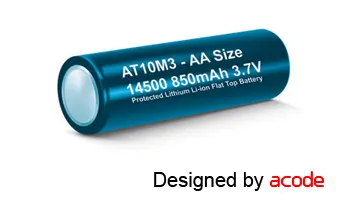
Note: The M3 battery is optional and can be selected based on your usage needs.
Can the AT10M3 battery-operated cash drawer trigger be used while charging ?
Absolutely. Just plug the included USB-C cable into any external power source—such as a wall adapter or power bank—and the AT10M3 will continue to operate while charging.
Note: The M3 battery is built to work seamlessly during charging, so there’s no need for a continuous power supply.
This ensures uninterrupted performance, even during your busiest hours.
Which cash drawers are compatible with AT10M3 series triggers?
The AT10 series is compatible with most standard POS cash drawers that meet the following specifications:
- Interface: POS receipt printer drawer port
- Connector: RJ11 (4-pin) or RJ12 (6-pin)
- Voltage: 12–24V DC, 1A
- Solenoid Wiring: Pin 2 or Pin 5 and Commom Pin 4
If you’re unsure about compatibility, it’s best to consult your cash drawer supplier for confirmation.
AT10M3/S Series install and replace battery
AT10M3 Is it possible to charge the battery with solar power?
No. The design is different, and using solar charging may damage the PCB board.
🔍 Key Considerations
- Design Differences The AT10M3S is typically a specialized or updated variant of the AT10M3. Manufacturers often add features like improved charging compatibility, enhanced safety protections, or optimized PCB layouts.
- Solar Charging Compatibility Since the AT10M3 was not designed for solar input (risk of PCB damage), the AT10M3S may have been engineered with different tolerances or circuitry. If solar charging is a requirement, the newer model could be more suitable — but this depends on the official specifications.
- Reliability & Warranty AT10M3 model not designed for solar charging could void warranties or shorten lifespan.
- Cost vs. Benefit Upgrading to AT10M3S makes sense if the added features align with your needs (e.g., solar compatibility, better efficiency). If your use case doesn’t require those, the AT10M3 may still be sufficient.
Rechargeable Battery Is Compatible with AT10M3 / AT10M3S Series Triggers?
Powered by a 14500 3.6V to 3.7V the flat‑top (recommended) or button‑top lithium battery (Protected Mode Recommended)
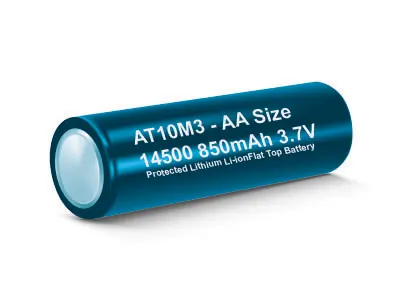
AT10M3 / AT10M3S How to Install or Replace the Rechargeable Battery ?
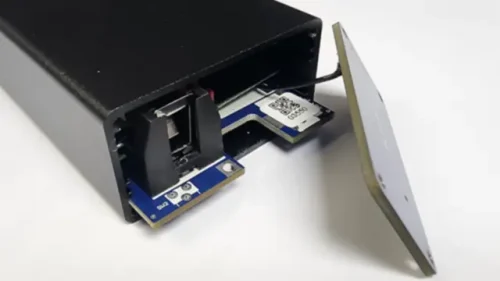
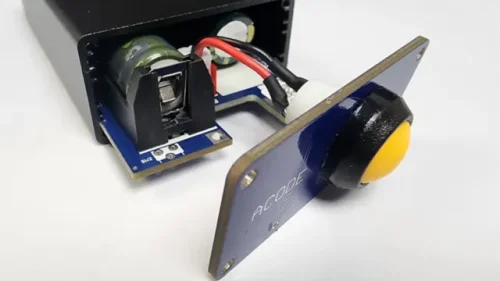
🔋 Step-by-Step Battery Replacement Guide
1. Power Down & Prepare Workspace
- Turn off the device to ensure safe handling.
- Clean the surface thoroughly.
- Use a non-metal surface (wood, plastic, or anti-static mat).
- Remove any loose metal objects from the workspace.
2. Access the Battery & PCB
- Open the back cover carefully using a precision screwdriver.
- Gently slide or pull out the main PCB board, noting the battery’s orientation.
3. Swap the Battery
- Remove the old lithium battery or Insert a new battery with matching specs in the correct orientation.
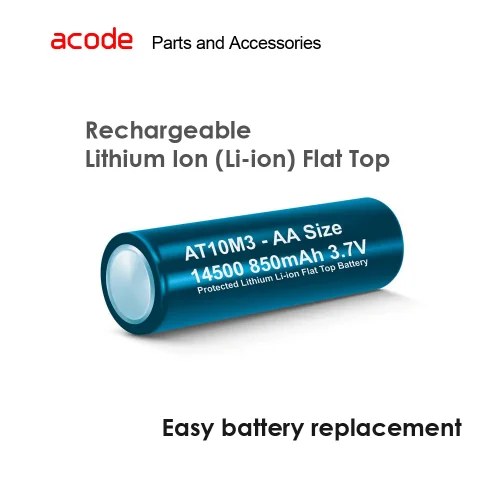
- Battery Specification :
- Power Source: Rechargeable lithium‑ion
- Battery Requirement: 14500 / AA Li‑ion
- Capacity (Rated): 850 mAh or higher
- Type Options: Flat‑top (recommended) or button‑top
- Nominal Voltage: 3.6V to 3.7V
- Full Charge: sits around 4.2V
4. Align Components
- Place the PCB board back into the casing, ensuring metal parts do not touch the outer shell.
- Carefully align the USB port with the front panel.
- Confirm all components are positioned correctly.
5. Reassemble & Test
- Reposition the PCB securely.
- Tighten the rear panel screw.
- Press the power button to test only after all steps are completed.
⚠️ Safety Tips
- Avoid touching exposed circuitry.
- Handle lithium batteries with care.
- Damage caused by improper handling or human error is not covered under standard maintenance or warranty.
- If you’re unsure about any step, contact us or a qualified service provider.
AT10ME Buddy Cash Drawer Trigger
What is AT10ME-PB Buddy push button cash drawer trigger ?
The AT10ME Buddy (AT10ME-PB) is a compact, multi-mode device designed to open standard printer-driven cash drawers using RJ11 or RJ12 connectors. It’s versatile, plug-and-play, and ideal for modern retail setups.
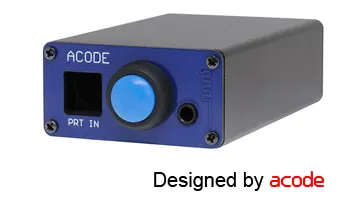
Operation Modes
- Printer-Driven Mode: Automatically opens the drawer when a receipt is printed via a DK port-enabled POS printer.
- Push Button Mode: Instantly opens the drawer with a built-in button—perfect for “No Sale” actions.
- Bluetooth Mode: Wireless control with three flexible options:
- Manual Trigger: Use a paired mobile device.
- App-Controlled: Compatible with AcodTrigger apps on Android/macOS.
- Handheld Terminal: Tailored for mobile POS terminals in dynamic environments.
Features
- All Modes Active: No need to switch or reconfigure—just plug and go.
- Plug & Play: No drivers or software required; setup is fast and intuitive.
- USB-C Powered: Compatible with adapters or POS printer USB ports.
- LED Indicators: Instantly shows power and operational status.
What is AT10ME-BT Buddy cash drawer trigger ?
The AT10ME-BT Buddy is a compact, Bluetooth-enabled device designed to open standard printer-driven cash drawers using RJ11 or RJ12 connectors. With multi-mode functionality and plug-and-play simplicity, it’s perfect for modern retail environments.
Operation Modes –
- Printer-Driven Mode: Automatically triggers the drawer when a receipt is printed via a DK port-enabled POS printer.
- Bluetooth Mode: Offers wireless control with three flexible options:
- Manual Trigger: Activate the drawer using a paired mobile device.
- App-Controlled: Works seamlessly with AcodTrigger apps on Android.
- Handheld Terminal Mode: Optimized for mobile POS terminals in fast-paced retail or field settings.
Key Features –
- All Modes Always Active: No switching or reconfiguration needed—just plug in and start using.
- Plug & Play Setup: No drivers or software required; quick and intuitive installation.
- USB-C Power Supply: Compatible with standard adapters or POS printer USB ports.
- LED Indicators: Provides clear visual feedback on power and operational status.
How can I open cash drawer when a receipt is printed during a sale and when no receipt is printed such as during a cash refund, in conjunction ?
If your cash drawer system, powered by the AT10ME series, offers flexible access methods to meet both transactional and non-transactional needs. It supports automatic opening via POS printer, manual access through push button, and wireless control via Bluetooth.
System Connection Overview :
- POS Printer connects via DK port to the AT10ME RPT input
- Cash Drawer connects via RJ port to the AT10ME
- AT10ME supports:
- Push Button (manual trigger)
- Bluetooth Device (wireless trigger)
- Type-C USB Power – Connects to adapter or POS printer USB power for streamlined setup
Three Ways to Open the Cash Drawer
- Automatic Mode Triggered by the POS printer—drawer opens when a receipt is printed.
- Manual Mode Triggered via push button using the AT10ME-PB Buddy Series—ideal for “No Sale” operations such as refunds or drawer access without a transaction.
- Bluetooth Mode Triggered wirelessly using the AT10ME-BT Bluetooth Series—allows remote drawer access without a direct POS connection.
Model-Specific Functions
Each AT10ME model offers distinct features:
- AT10ME-PB includes a built-in push button.
AT10ME-BT supports Bluetooth wireless triggering.
We’re here to help—contact our team anytime with your questions.
System Development Tools, SDKS for Acode USB and Bluetooth cash drawer triggers
Does the USB Series cash drawer require Driver or SDK or API or System Development ?
-
- Driver Installation: Most USB cash drawers use standard virtual COM port drivers that are automatically installed by the operating system. Manual driver installation is typically not required. ⚠️ Be sure to verify that the device’s driver is compatible with your version of Windows.
- SDK/API Requirements: The AT10 USB Series uses a standard virtual serial port connection and does not require a proprietary SDK or API. You can communicate with it using standard serial commands via Win32 APIs.
- System Development Needs: While no special SDK is needed, integrating the cash drawer into your application does require IT knowledge and familiarity with serial communication programming in Windows.
For more technical guidance, refer to Microsoft’s Serial Communications in Win32 documentation
AT10u3 Browers Type (81102-00000) Browers Series